Finance & spreadsheet tools

Spreadsheets that explain the number, not just store it.

Each of these is a complete model with a dashboard on the front: you type in the data tab and the whole picture updates. The four downloadable ones are built with formulas only — nothing to authorise, nothing to break — so the same file opens in Excel and in Google Sheets and anyone can audit how a figure was reached. The fifth is the other kind of job: a Google Sheets system where Apps Script does the work a formula cannot.

They are free to download. No email, no sign-up, no licence — take them and use them.

Freeall of them, no sign-up
Excel + Sheetsfor the four downloads
Formulas or scriptswhichever the job needs
Sample datafilled in, ready to read
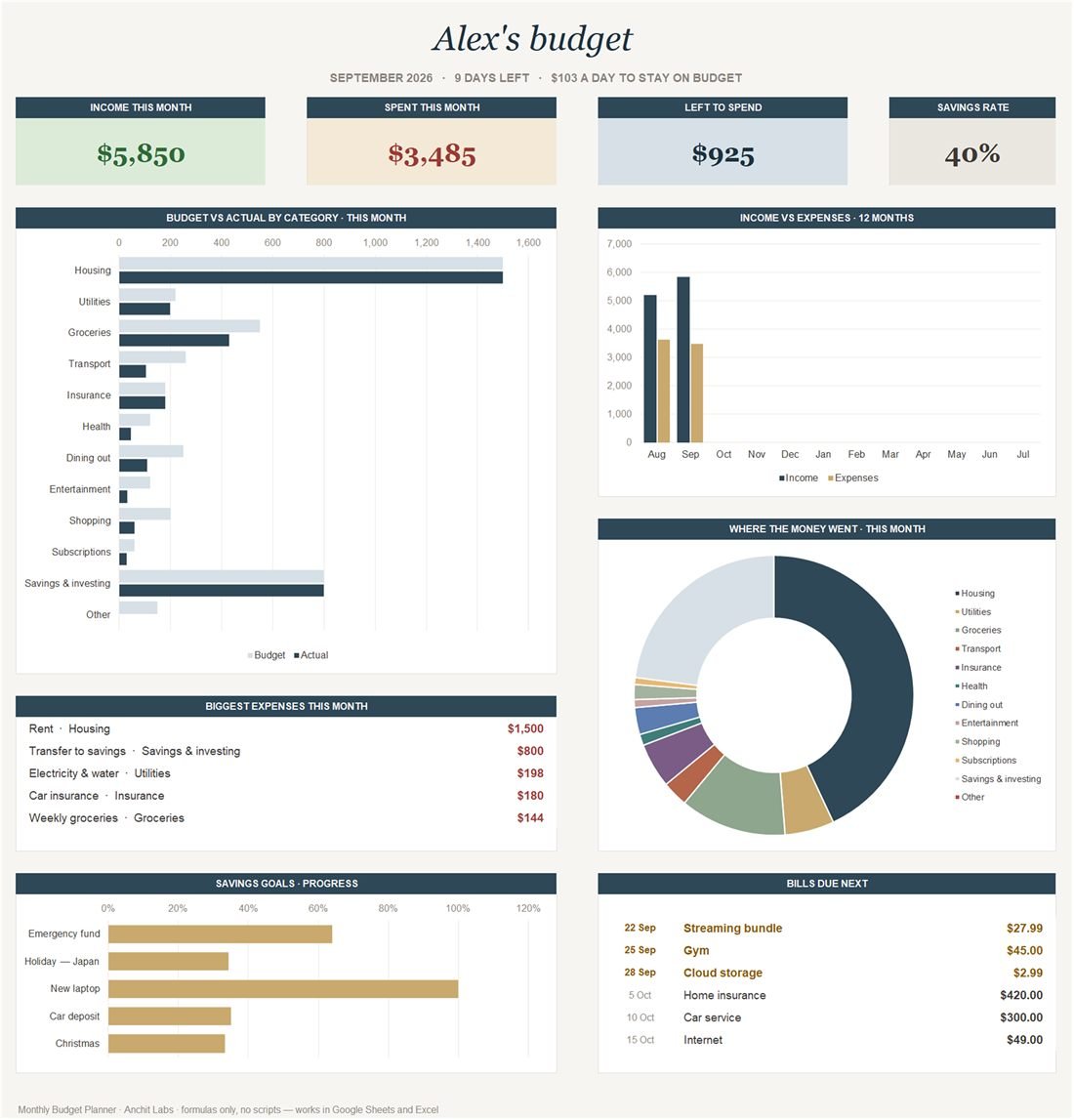
The Monthly Budget Planner dashboard.

Excel + Google SheetsFormulas only

Monthly Budget Planner

A full personal-finance model on one screen. Type the transactions in and every chart updates itself: income against spend, budget versus actual for each category, a twelve-month income and expense trend, where the money actually went, progress on each savings goal, and the bills landing next. The header line does the arithmetic for you — "9 days left, $103 a day to stay on budget".

Sheets

Dashboard · Transactions · Budget · Bills · Savings goals

Download the .xlsxQuick-start guide (PDF)Free · no email needed
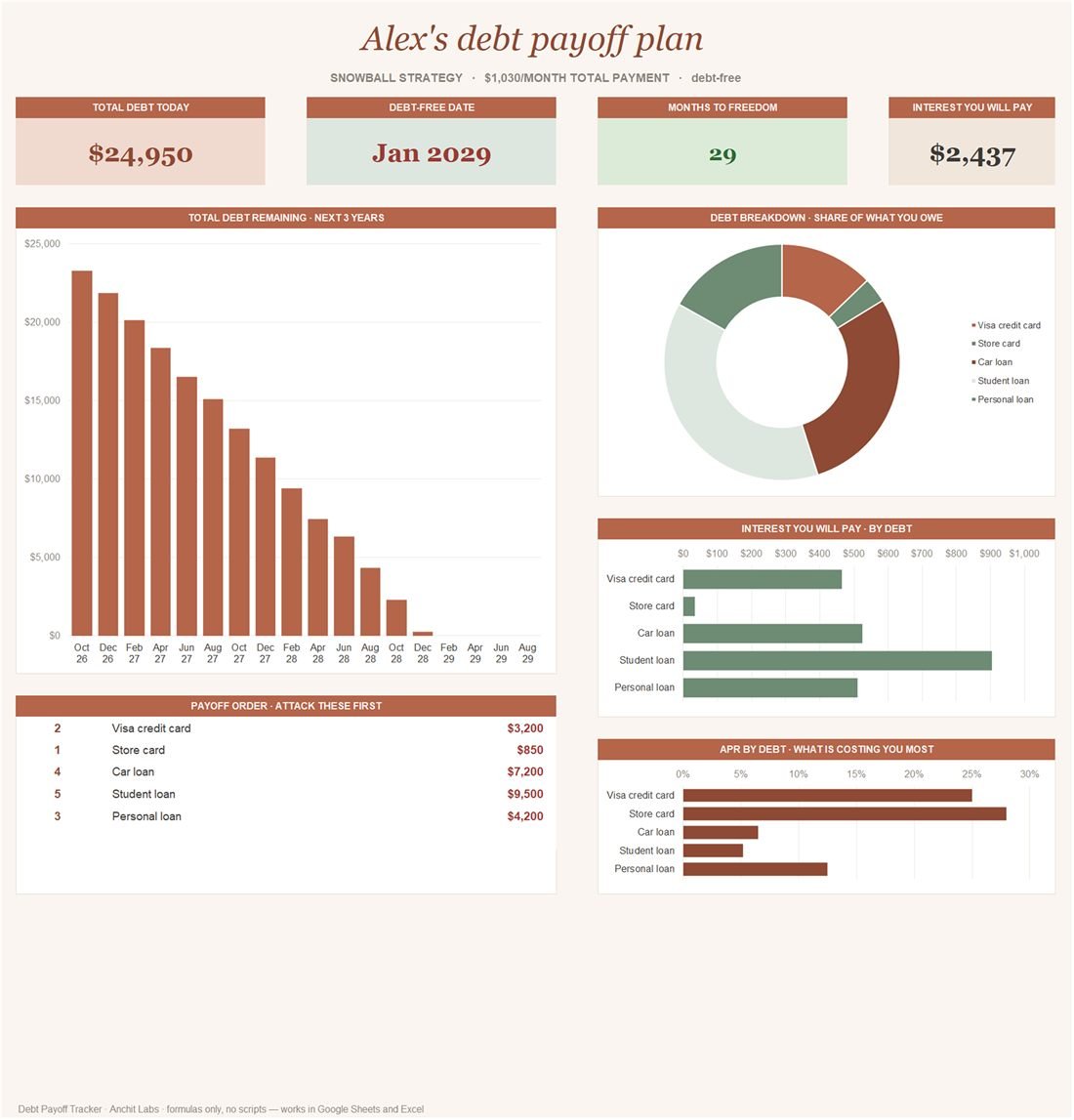
The Debt Payoff Tracker dashboard.

Excel + Google SheetsFormulas only

Debt Payoff Tracker

Put every loan in once and see both strategies side by side: snowball for momentum, avalanche for the lowest interest. The schedule runs all the way to zero, so you can see the month you actually finish and what paying a little extra each month takes off the total.

Sheets

Dashboard · Debts · Payoff schedule

Download the .xlsxQuick-start guide (PDF)Free · no email needed
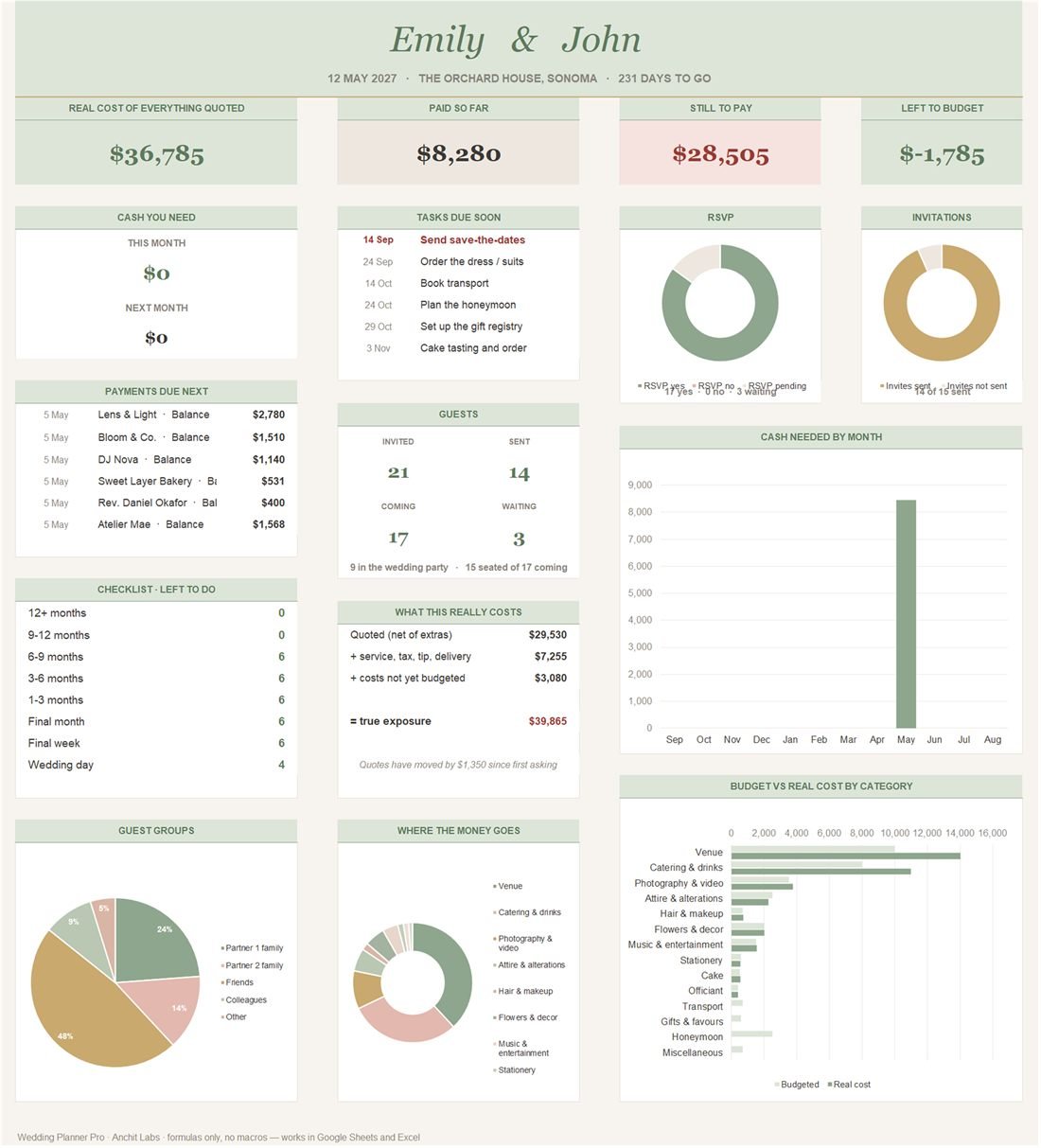
The Wedding Planner Pro dashboard.

Excel + Google SheetsFormulas only

Wedding Planner Pro

Nine linked sheets covering the whole wedding: budget against deposits already paid, the guest list with RSVPs, a seating plan that counts itself, vendor contacts with payment dates, the day-of timeline, stationery and the menu. The biggest thing I have built in a spreadsheet.

Sheets

Dashboard · Budget · Guests · Seating · Vendors · Timeline · Stationery · Menu & drinks · Contacts

Download the .xlsxFree · no email needed

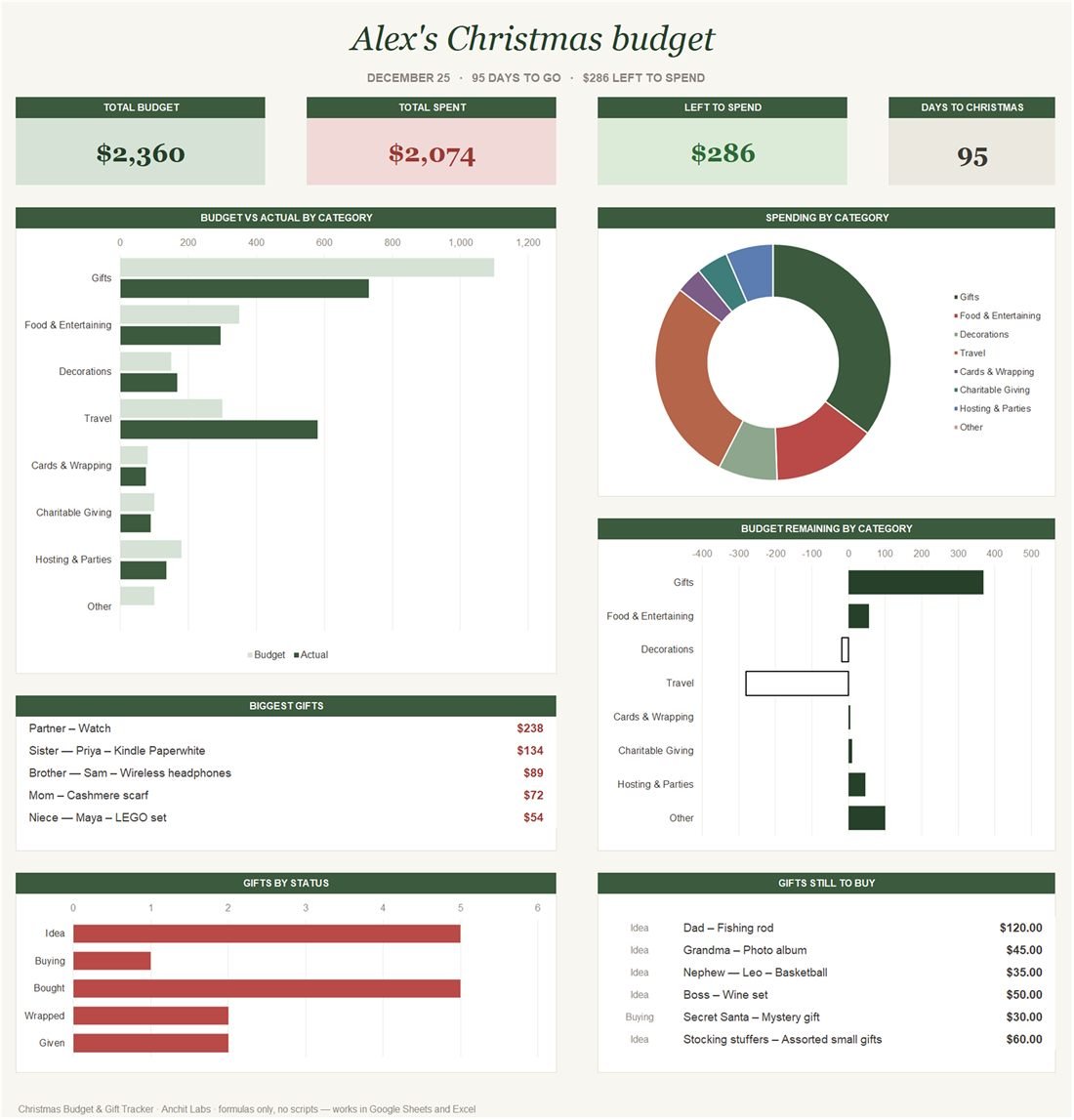
The Christmas Budget & Gift Tracker dashboard.

Excel + Google SheetsFormulas only

Christmas Budget & Gift Tracker

Built to be opened in November and closed in January. Everyone you are buying for, the planned spend against the real spend, and the parts people forget — travel, food and the decorations — so the January statement holds no surprises.

Sheets

Dashboard · Gift list · Other expenses

Download the .xlsxQuick-start guide (PDF)Free · no email needed
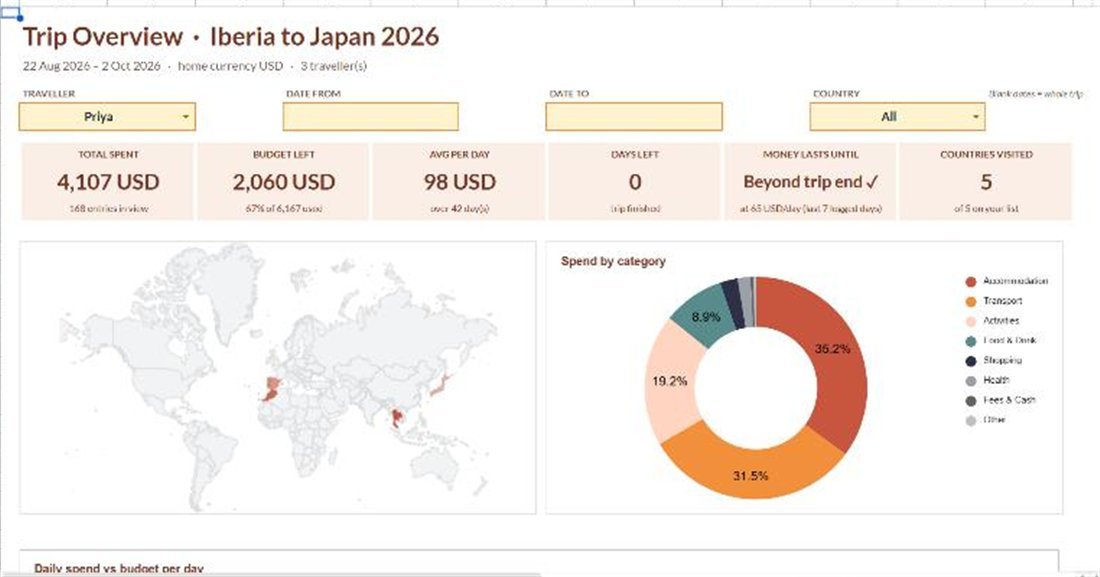
The Multi-Currency Travel Tracker dashboard.

Google Sheets + Apps ScriptScript-automated

Multi-Currency Travel Tracker

Built for a client brief as a working demo rather than a pitch deck. One Apps Script builds the whole product: ten tabs, every dropdown and protected range, six charts, five themes, and a branching Google Form you fill in from your phone. Live rates come from GOOGLEFINANCE with a cached fallback and a manual override, so a dead rate never silently breaks a total. Hotel stays split across the nights you were there, and Split & Settle works out the smallest set of transfers that squares everyone up. 24 unit tests run against the logic in Node.

Sheets

Start here · Setup · Expenses · Stays · Transport · FX rates · Dashboard · Country view · Split & settle · Budget vs actual

Built for an Upwork brief and kept as a live demo sheet — the dashboard, the world map and the settle-up all run in a real Google account.

Open the demo sheetWant one like it? →

How these are built

Formulas where formulas are enough

The downloadable templates use no macros and no scripts: nothing is blocked by a security prompt, nothing breaks when an API changes, and every number traces back to the cells it came from. A template someone else has to maintain should not need permissions.

One file, both apps

Each downloadable workbook opens in Excel and in Google Sheets and looks the same in both. No "sorry, this needs the desktop version". The travel tracker is the exception: Apps Script only runs in Google Sheets, so that one lives there.

A dashboard, not a wall of cells

Each model opens on one page that answers the question the owner actually has. The raw data lives behind it, where it belongs.

Scripts where they earn their place

Forms that write into the sheet, exchange rates refreshed on a schedule, a settle-up that recalculates itself — that is Apps Script, and the Multi-Currency Travel Tracker is built on it: ten tabs, a branching Google Form, triggers and 24 unit tests.

Sample data already in it

Every template arrives filled in, so you can see what it does before you type anything — then clear it in one go when you are ready.

Want one built around your numbers?

These are free because they are the sample, not the service. Most businesses already have the data and no way to look at it — send me the messy workbook and I will send back a model with a dashboard on the front, yours to keep, with no subscription and no dependency on me.

Start a project →