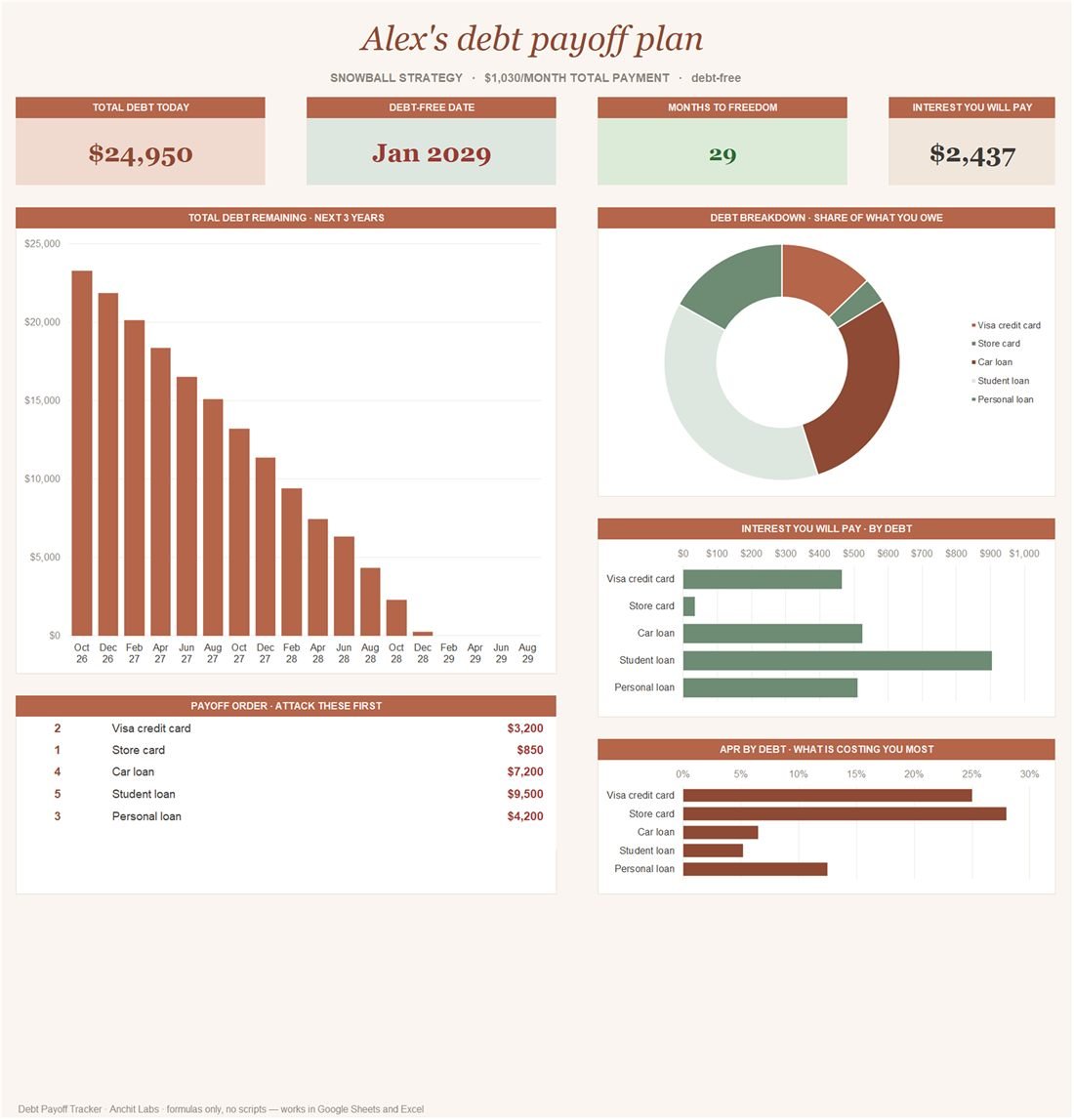
The workbook ranks your debts, builds a month-by-month schedule and shows your debt-free date and the total interest you will pay. When one debt is cleared, its minimum payment rolls onto the next, which is what makes the payoff speed up. Switch strategy any time and every number recalculates, so you can compare the two in seconds.
What is inside
5 tabs, all formulas — no macros, no add-ons, nothing to enable. It arrives filled in with sample data so you can see what each part does before you type anything.
01
Dashboard
Total debt today, your debt-free date, months to go and the total interest. A three-year balance chart, your payoff order, what you owe by debt, and the interest and APR of each one.
02
Setup
Your name, currency symbol, the strategy (snowball or avalanche) and how much extra you can put toward debt each month.
03
Debts
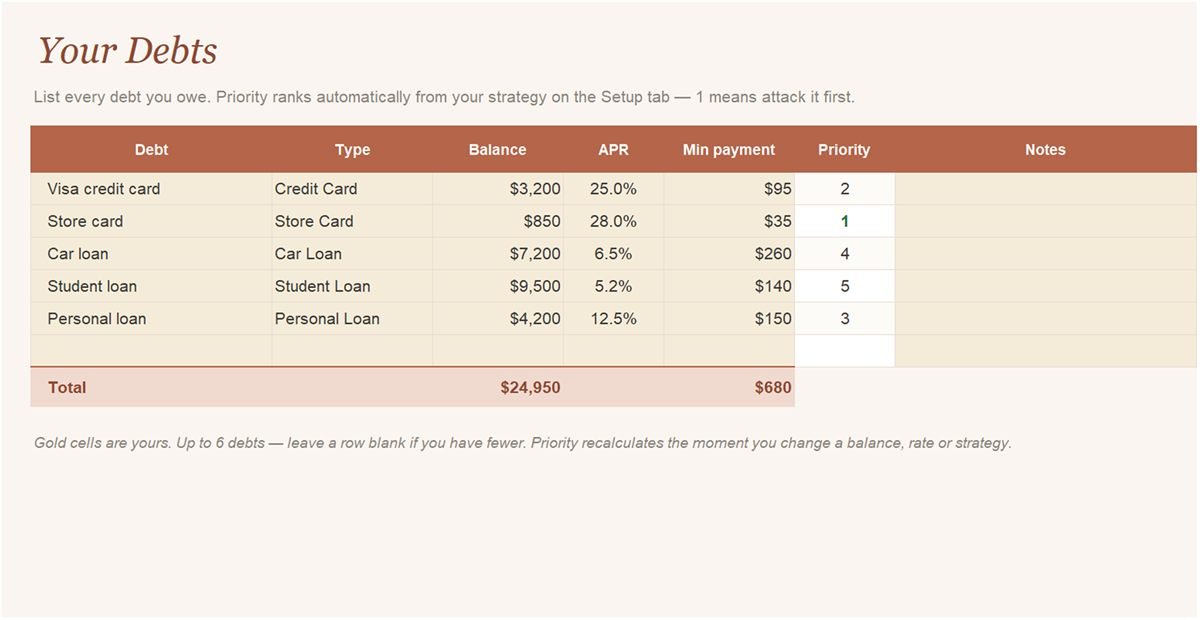
Up to six debts: name, type, balance, APR and minimum payment. The priority column ranks itself the moment you pick a strategy.
04
Payoff schedule
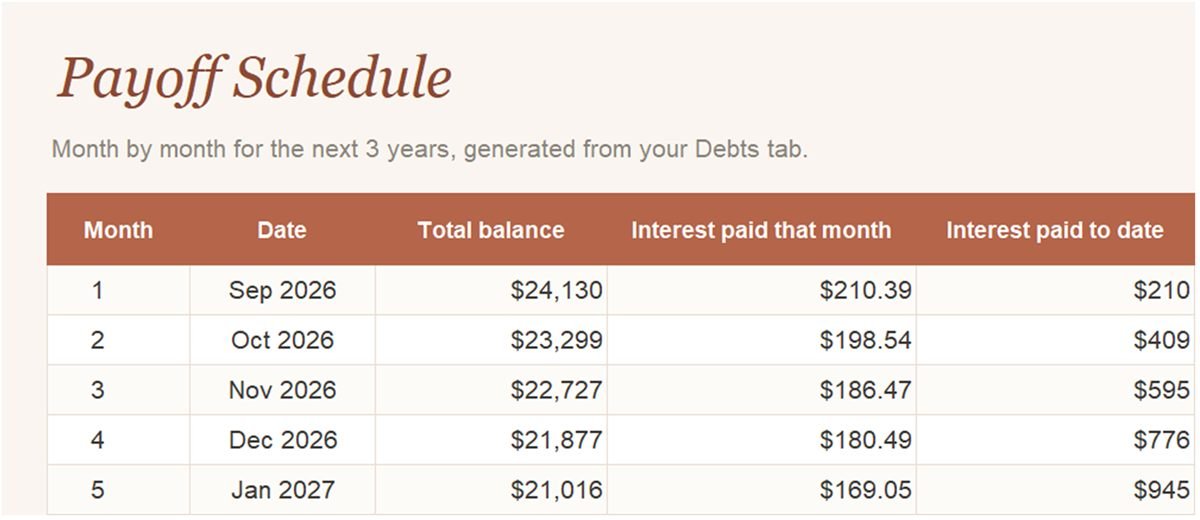
A 36-month table of the total balance, the interest paid that month and the interest paid to date, with your debt-free month highlighted.
How to set it up
- On the Setup tab, enter your name and currency symbol, choose snowball or avalanche, and enter the extra amount you can pay each month.
- On the Debts tab, list each debt with its balance, APR and minimum payment. The priority order fills itself in.
- Open the Payoff Schedule to see the balance fall month by month, and the Dashboard for your debt-free date and total interest.
- Change the strategy or the extra payment on Setup to see how much sooner you finish and how much interest you save.
Gold cells are yours to fill in. White cells are calculated, so leave those alone, and do not delete the hidden Data tab: it feeds the charts.
Download the Debt Payoff Tracker
Opens in Excel 365 or Excel 2021 on Windows and Mac. For Google Sheets, upload it to Google Drive, open it with Google Sheets and choose File → Save as Google Sheets.
Questions
Snowball or avalanche: which is better?
Avalanche always costs the least interest, because the most expensive debt goes first. Snowball clears small balances sooner, which many people find easier to stick with. This tracker lets you flip between them and see the difference in months and interest for your own debts.
How many debts can I track?
Six. If you have more, combine small balances of the same kind onto one row, such as two store cards with similar rates.
Does it work in Google Sheets?
Yes. Upload the .xlsx to Google Drive, open it with Google Sheets and choose File → Save as Google Sheets. It also works in Excel 365 and Excel 2021.
Is this financial advice?
No. It is a planning tool that does the arithmetic on the numbers you enter. For advice on your own situation, speak to a qualified adviser or a non-profit debt counselling service.
Is it free?
Yes. No sign-up, no email and no trial. Download it and use it.