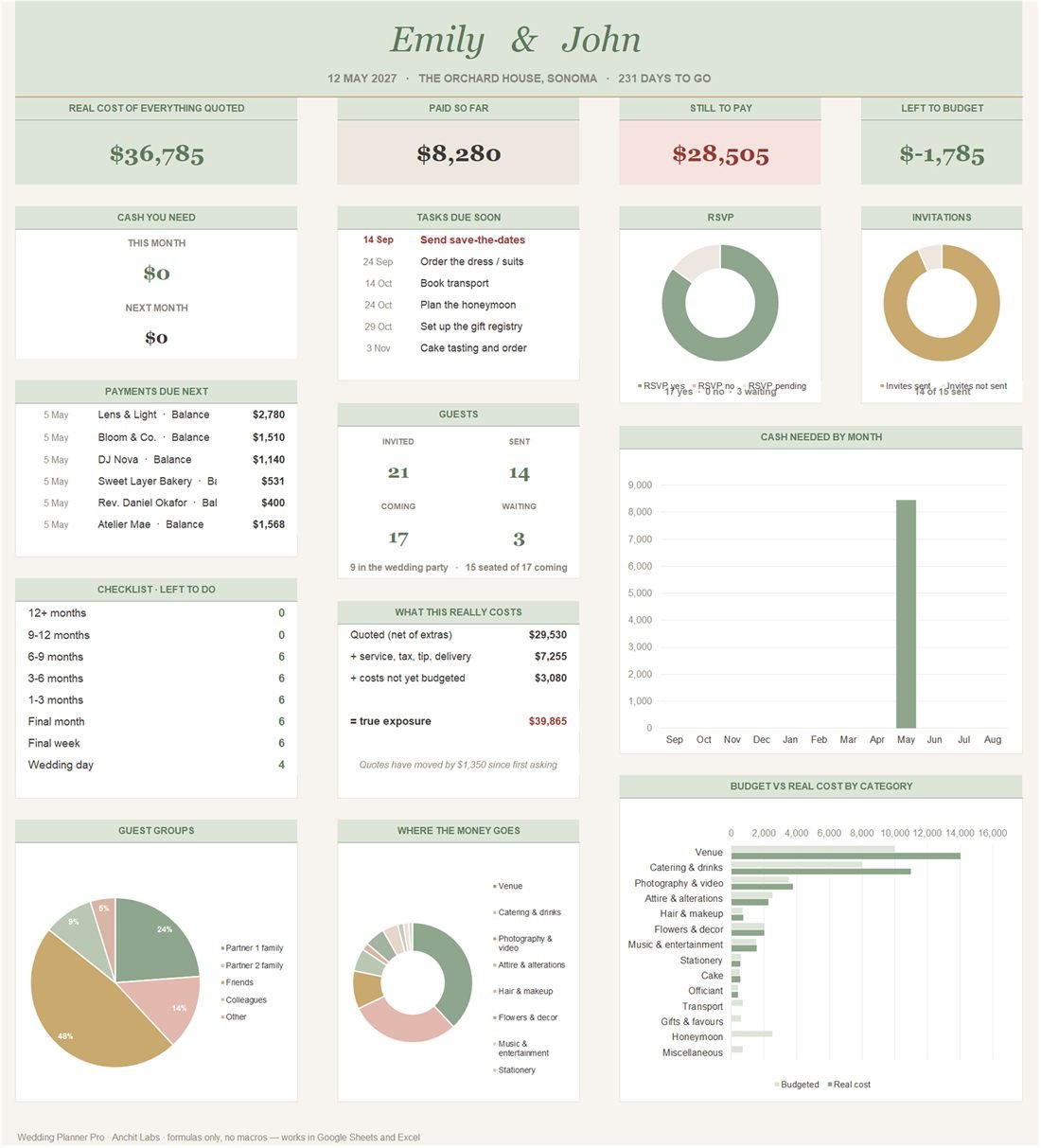
Everything else hangs off one guest list. Mark someone as a bridesmaid and they appear on the wedding party tab; give them a table and the seating plan counts them; record their meal and the caterer's headcount updates; the stationery tab suggests how many invitations and place cards to order. Fill in your names and the date once and the countdown, the calendar and 45 checklist due dates follow.
What is inside
29 tabs, all formulas — no macros, no add-ons, nothing to enable. It arrives filled in with sample data so you can see what each part does before you type anything.
01
Dashboard
The real cost of everything quoted, what is paid, what is still to pay and what is left in the budget. Cash needed this month and next, payments and tasks due soon, RSVPs, guest groups, and budget against real cost for every category.
02
Vendors & Real Cost
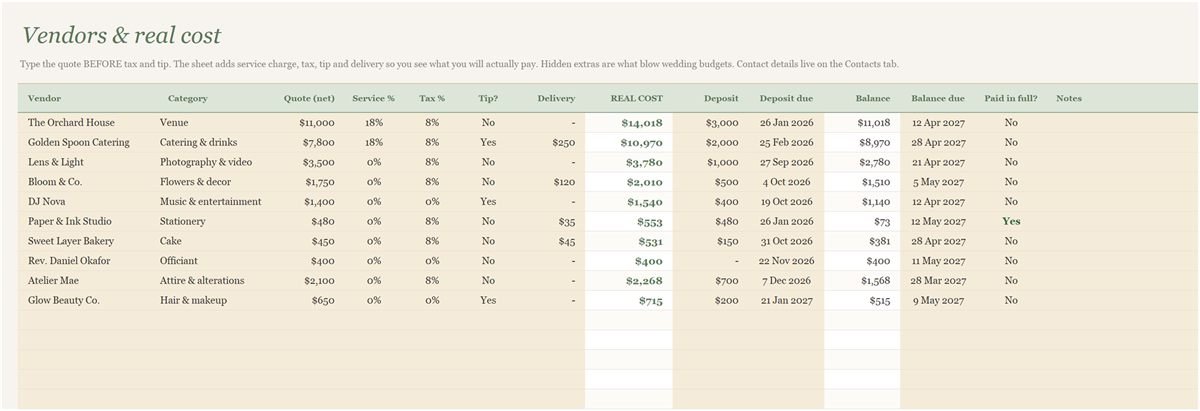
Each vendor's quote before extras, plus service charge, tax, tip and delivery, gives the real cost. Deposits, balances, due dates and a paid-in-full tick sit alongside.
03
Payment Schedule, Quote Tracker and Hidden Costs
Every deposit and balance by month, so you see the cash each month needs. Quotes tracked from first figure to final, so a creeping price is visible. And a list of the costs couples commonly forget, from vendor meals to guest parking, with typical figures you can overwrite.
04
Contacts
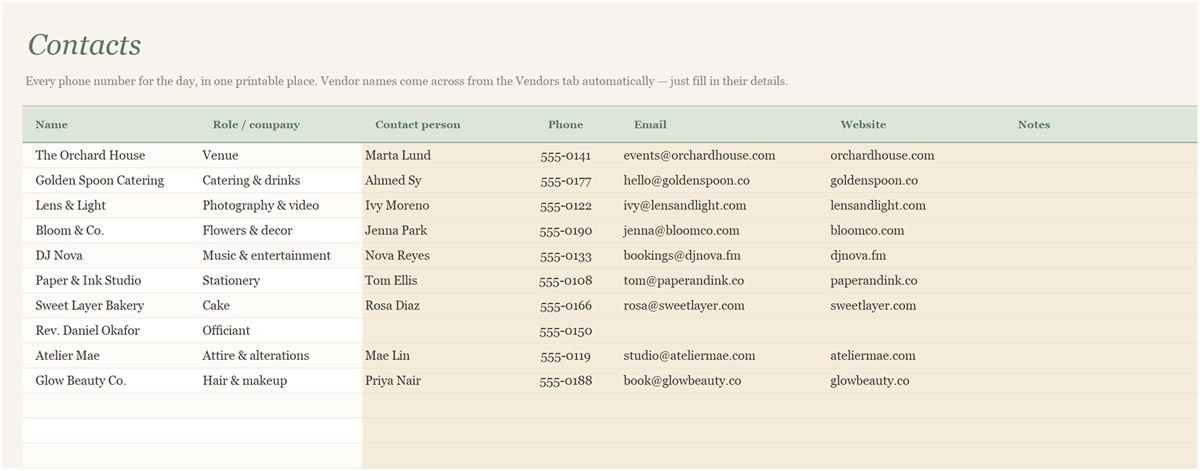
Everyone in one place, with the vendors pulled in automatically from the vendor tab.
05
Guest List, Seating Plan and Wedding Party
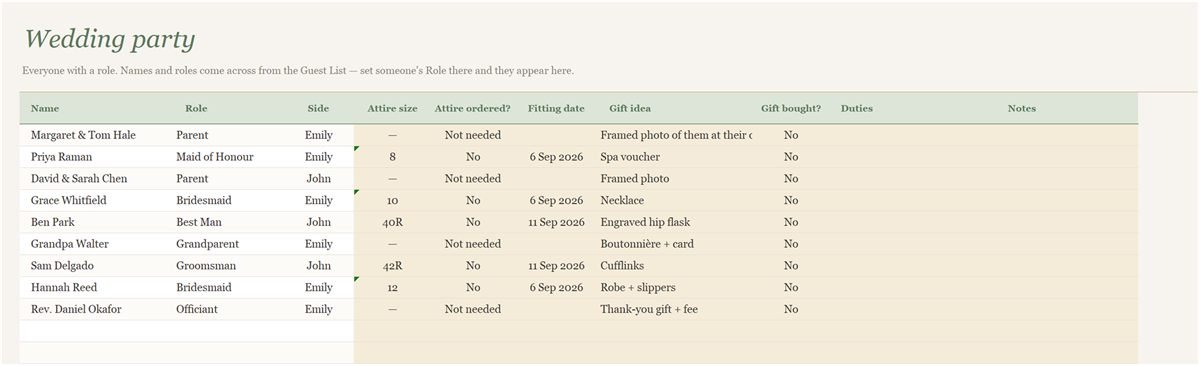
One row per guest with group, side, role, invite, RSVP, plus-one, meal and table. The seating plan counts seats per table and lists confirmed guests still waiting for a table. Anyone with a role appears on the wedding party tab.
06
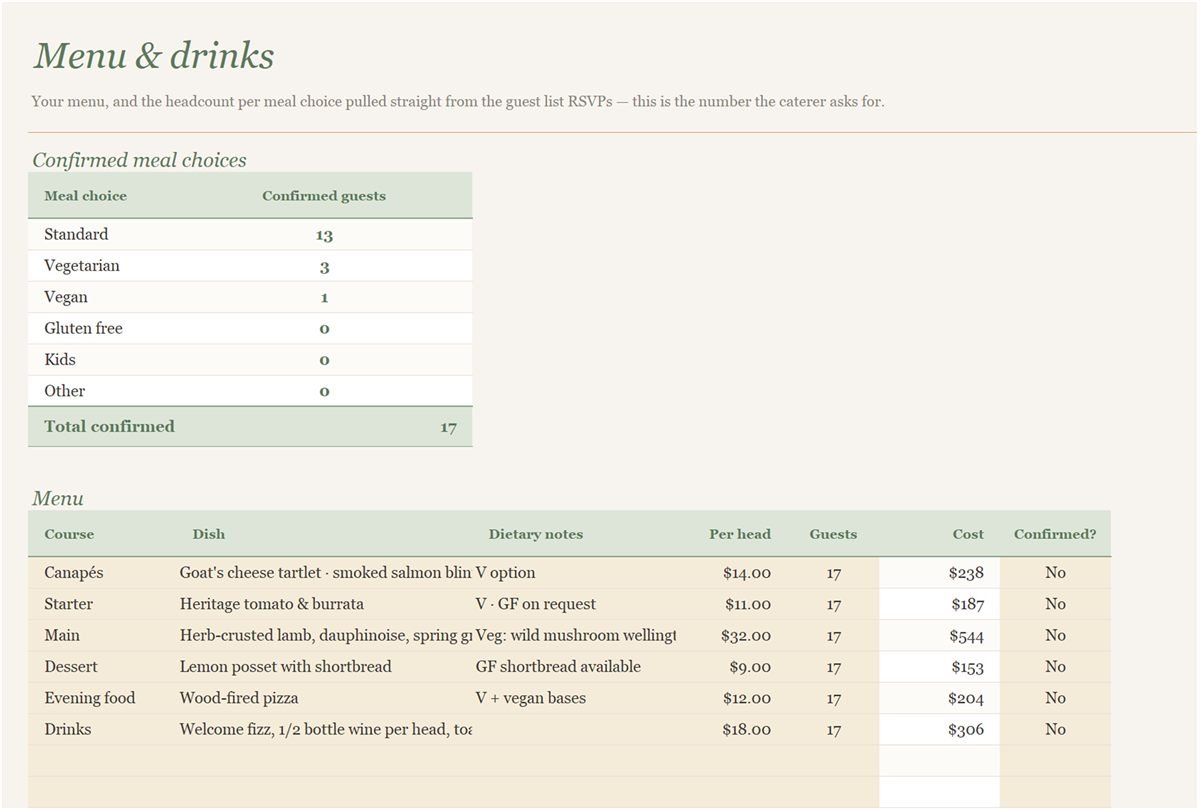
Menu & Drinks
Your menu, and the number of confirmed guests for each meal choice, taken straight from the RSVPs. It is the number the caterer will ask for.
07
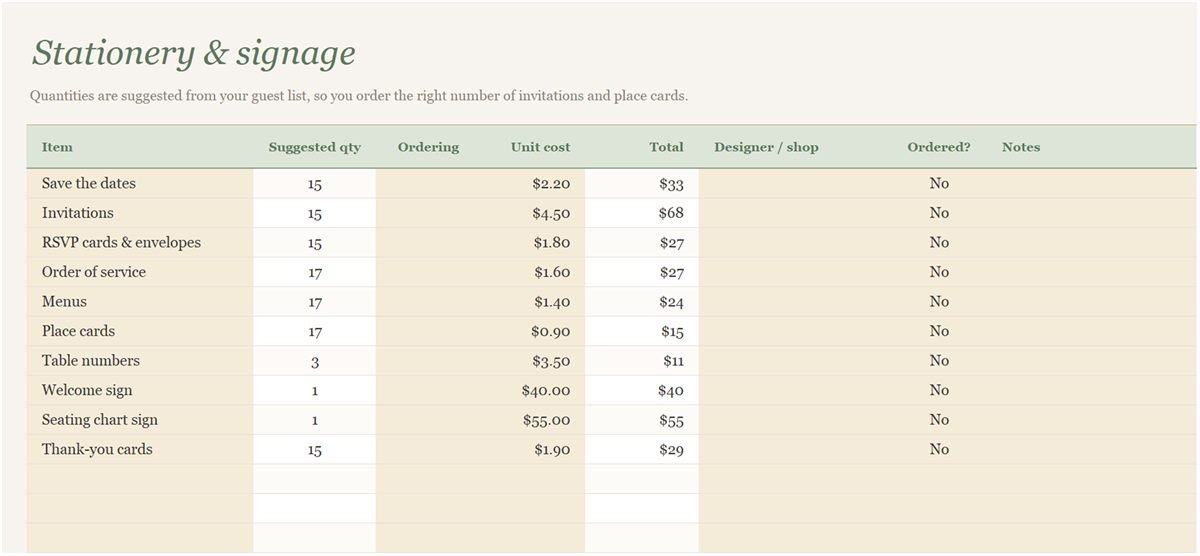
Stationery & Signage
Invitations, place cards and signs, with quantities suggested from the guest list so you order the right number.
08
Checklist, Calendar and Itinerary
A 45-task checklist from twelve months out to the day itself, with due dates worked out from your wedding date, a calendar view, and an hour-by-hour plan for the day.
09
And the rest
Music and moments, attire and fittings, beauty, décor and flowers, a venue and vendor comparison, a photo shot list, vows and speeches, an emergency kit, the rehearsal dinner, the registry, gifts and thank-yous, and the honeymoon.
How to set it up
- Open the Start Here tab for the five-minute tour, then fill in the Setup tab: your names, the wedding date, your currency symbol and your total budget.
- As quotes arrive, enter each vendor on Vendors & Real Cost with the price before tax and tip. The real cost appears next to it.
- Check the Payment Schedule once a month to see what is due and how much cash you need.
- Build the guest list as you go. RSVPs, meals, tables and roles flow into the seating plan, wedding party, menu and stationery tabs.
- Tick off checklist tasks as you finish them. The Dashboard summarises everything on one screen.
Gold cells are yours to fill in. White cells are calculated, so leave those alone, and do not delete the hidden Data tab: it feeds the charts.
Download the Wedding Planner Pro
Opens in Excel 365 or Excel 2021 on Windows and Mac. For Google Sheets, upload it to Google Drive, open it with Google Sheets and choose File → Save as Google Sheets.
Questions
Is the wedding planner spreadsheet free?
Yes, completely. Download it and use it for your own wedding. There is no sign-up, no email and no paid upgrade hiding behind it.
Does it work in Google Sheets so we can both edit it?
Yes. Upload the .xlsx to Google Drive, open it with Google Sheets and choose File → Save as Google Sheets. Then share it with your partner or planner and you can both edit the same copy. It also works in Excel 365 and Excel 2021.
Can I change the currency?
Yes. Type your symbol on the Setup tab and every heading and dashboard figure follows it. To change the symbol inside the money cells too, the Start Here tab has the two-click steps for Google Sheets and for Excel.
What is the "real cost" of a vendor?
The quote plus the extras that usually come on top: service charge, sales tax, tip and delivery. Entering quotes before extras and letting the sheet add them is the easiest way to stop a budget drifting.
Are there other colours?
Yes. Sage is the default, and the same planner comes in blush and terracotta — the download links are just below the main button.
Can I add more guests or vendors?
Yes. Right-click a row number inside a table and choose Insert. Totals and charts include the new row automatically.